


April 2nd 2014
March 26th 2014
March 20th 2014
March 10th 2014
Feb 15th 2014
 website should be a good place for you to start. Our articles and guides are as clear and concise as we could make them and most are written in plain language that will allow almost any able computer user to follow along.
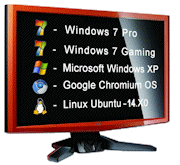 operating system while still being able to use the old familiar one. But the best use of a multiboot setup is to have identical clones of your all important and hard working main system so you can banish software problems with just a reboot.
 them without hardly noticing the difference. With all of our up to the minute data immediately accessible to every clone, we can banish annoying problems or recover from infections and major disasters in literally the time it takes to reboot the computer.
 them in early 2011. Recent operating systems that are Advanced Format aware will configure the drives correctly for optimum use, but older operating systems and many current software tools for partitioning, cloning and imaging are unlikely to get it right.
 mechanical hard drive. Getting it wrong at best will result in a performance loss, at worst a corrupted or lost partition. Getting it right can require knowing which format a hard drive is; which partition alignments should be.........
 We don't need to understand any of the really complicated stuff about partitions and their files systems to be a multibooter, but it certainly helps to know the types of partitions we can use and the restrictions and conventions that will dictated how we can and should place our partitions on a drive. It also helps to be clear on how partitions are numbered and labeled so that we don't make mistakes in identifying and selecting a partition we are about to modify or delete.

 This website is about introducing people to the benefits of having more that one operating system and to the backup and recovery advantages of multibooting with identical clones. Achieving these goals need not be difficult or require you to have extreme technical abilities, but we do implore you to take your time and understand what you are doing. Be under no illusion that modifying or creating partitions.........
 The Disk Management tool (diskmgmt.msc) has been around for a while and it gives us a nice graphical view of the partition structure of hard drives and devices. It has of course evolved over time and in the latest generation of Windows it has been updated to fully support the new Advanced Format architecture and the upcoming GUID partitioning scheme.
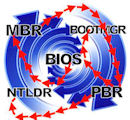 particularly difficult or technical to understand enough of what is going on to help us in making informed decisions. The general flow of the boot sequence is what concerns us the most and that is not a difficult thing to understand if we don’t........
 As with any job or skill that we want to master and do well we should acquire some decent tools of the trade and the knowledge to use them. Our recommended tools will not only be used to create our multiboot computer, but will also give us the means if need be to repair minor problems or recover an unbootable machine.
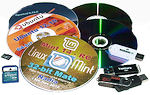 There are several ways to achieve a multiboot system and some of them are safer and easier to get running than those that require the configuring of partitions and the installing of bootmanagers. The cleanest and safest is an operating system that can be booted and run from removable media like a CD/DVD or a USB/SD flash stick or card. While they have some limitations they are an excellent and quick way to get your first taste of other operating systems.
 On-board recovery systems as well as backup and data partitions and even some lightweight and quick-booting operating system can all have their own separate partitions on a hard drive. This can mean that creating space to install another operating system may be difficult or just not possible.
 An Introduction to Format, Style and Type.
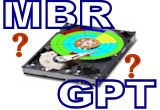 MBR or GPT Styled Hard Drive?
 Reuse updates in clones and other Windows installs.
 The Windows Hard Drive Disk Signature.
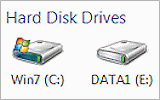 Drive Letters and Signatures.
 Dealing with Disk Signature Issues.
 The Windows Boot Files - bootmgr and BCD

 multibooters.com:- 2012 - 2014
 multibooters.com™
All product and company logos, icons and images that are reproduced on this site are the property and trademarks of their respective owners and are used here merely to illustrate their products, NOT to indicate or infer any endorsement or partnership unless otherwise stated. We have endeavored not to reproduce copyrighted images or graphics or infringe upon the rights of any trademark or copyright holder. If you believe or suspect we may have breached the permissible use of copyrighted material then please bring it to our attention. The reproducing or copying of original material from this site is currently allowed for non commercial purposes with the provision that your source is clearly indicated and that a back-link to the referenced information is included. Thank You. See our full Terms of Use. Material on this site is not guaranteed to be free of errors. Multibooters.com 2012 - 2013